Like everyone else in the enterprise, network managers want access to their core applications on tablets and mobile devices -- and that means mobile network management applications must evolve. So, many vendors are developing Android network monitoring and iPhone or iPad network monitoring apps.
These mobile network management applications may not offer all the features of traditional monitoring appliances, but they get pretty advanced with features such as automated discovery, alert systems, network map information and policy management from the palm of a network admin’s hand.
“Mobile network management applications are becoming very common and make perfect sense from the standpoint of most professionals these days have some sort of smartphone,” said Jim Frey, research director for Enterprise Management Associates.
“The old approach of monitoring a network was from a network operation center where you have a bunch of screens on the wall, and you had a bunch of people watching them is passing,” Frey said.
Moving to mobile network management tools is a positive yet subtle change for network admins, according to Frey. “Engineers will be more efficient, effective and responsive. This is one step on a continuous and natural path because more and more people spend their time looking at an iOS or Android screen. They’re everywhere,” Frey said.
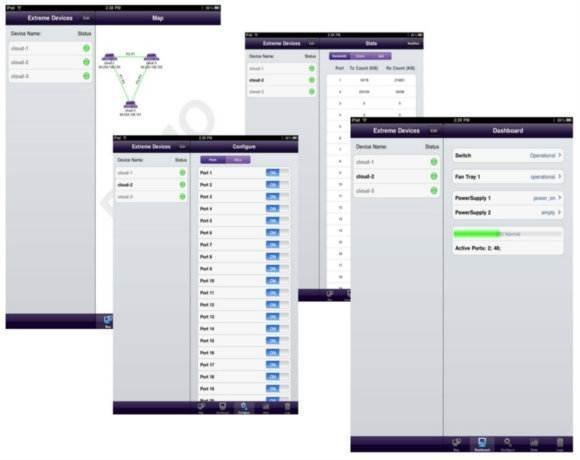
Extreme Networks has launched the Mobile Application Portfolio network management app specifically designed for the Apple iPad and available for download through Apple’s iTunes store for free. The software offers various network management and monitoring functionalities, including port and real-time bandwidth monitoring.
The extremeMonitor lets administrators check the status, temperature and activity of Extreme Network Ethernet switches, and view active ports and port statistics. It also lets users enable or disable ports from mobile devices.
Additionally, the extremeSupport app provides administrators the ability to track and submit service requests through the Extreme Networks online system, while the extremeEDU application provides training courses and allows users to view technical product information.
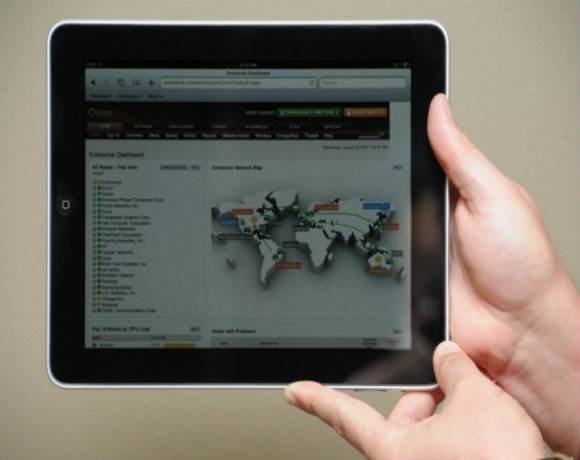
The Solarwinds Orion Network Performance Monitor (NPM) application allows network administrators to detect, diagnose and resolve performance issues across multivendor networks, all from an iPhone, iPad, Android or BlackBerry device. Using the app, network admins can monitor, track and analyze real-time performance stats of routers, switches, wireless access points, servers and other SNMP-enabled devices via network maps. The app also enables an interface with virtual machines on the network.
The alerting system signals any change to sustained conditions and prompts monitoring for new devices as they are added to the configuration mix.
Network reports help admins gain insight into the health of the network and share performance data by exporting reports to a PDF format for those not using SolarWinds NPM.
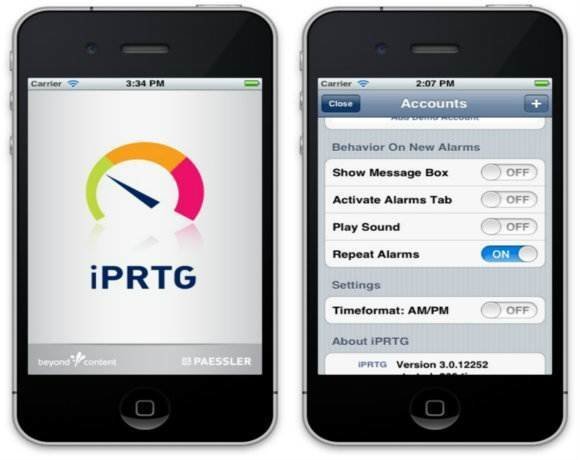
Paessler AG recently announced its latest version of iPRTG, the mobile monitoring app for PRTG, its network monitoring software. The PRTG solution provides constant monitoring of LANs, WANs, servers, websites and other appliances by pulling data directly from the PRTG server and displaying it on the iPhone, iPad or iPod touch.
There are several new features included in this latest version of the app, including landscape orientation and a more complete view of graphs, maps and other monitoring data. Another notable new feature is the "Send Email" function, which enables users to open a new window in their device’s inherent email application with a direct link to a monitoring object in the PRTG Web interface. This lets administrators delegate tasks to team members directly from the management app.
Other new features include log entry and geomaps of sensors, the ability to change sensor/device settings from within the app, the ability to edit comments within the app, and an additional setting for "Repeat Alarms" to create ongoing reminders if the count of sensors is altered.
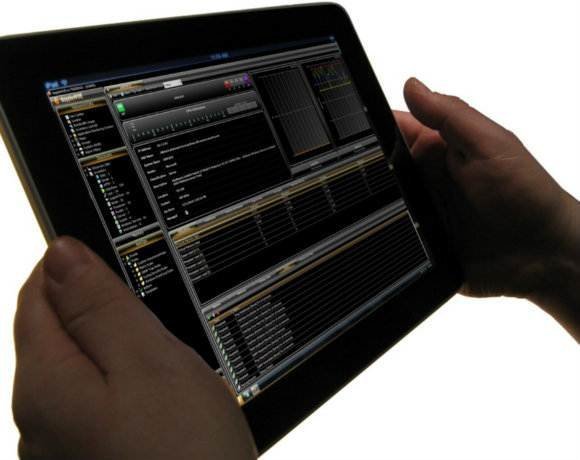
Kratos Network Solutions has developed the app dopplerVUE, which runs on a server and monitors the network, offering access to information on any browser as well as any mobile device OS. DopplerVUE integrates fault, performance and discovery into a unified dashboard from across devices, applications and services.
The app uses automatic discovery for mapping and charting performance status. It also offers views of inventory lists, devices, interfaces and targets. The dopplerVUE dashboard shows the state of virtual and physical security health. It also shows status metrics for servers and physical security devices -- both IP and non-IP.
This app is also IPv6 Ready and includes an onboard MIB compiler. It also helps to optimize time and resources by automating network management tasks and streamlining operations. DopplerVUE also continuously monitors device configurations and delivers real-time alerts when configuration changes occur.
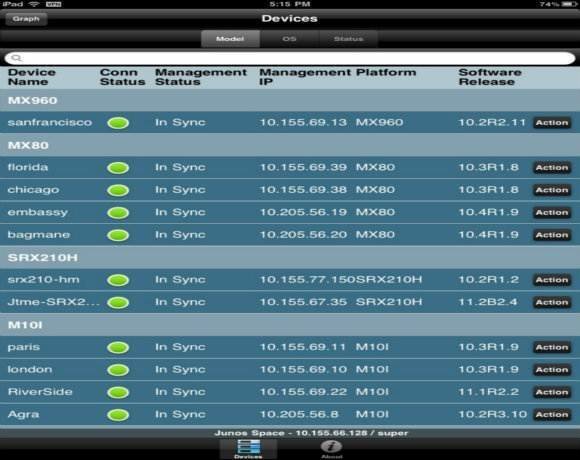
Juniper has also gotten involved in the mobile network monitoring and management application game with the release of two applications -- iSpace for the iPhone and iSpace pro for the iPad, which are both available on the Apple application store for free.
The iSpace and iSpace Pro apps focus on inventory, location and services. Using these apps, administrators can see logs and the state of the network, establish a secure a connection back into the command line of the interface, clear phones and validate inventory and asset tags.
Admins can see specific network element performance to manage faults. Juniper also offers Junos Pulse, which runs on iOS, Android, Microsoft, etc., and provides information on endpoint connectivity and security. Admins can also run the Managed Security Service on their mobile devices, performing tablet location, inventory and policies implementation for bring your own device programs.
Juniper is also planning on making an app available for Android operating devices in the first half of 2012.