The colors of the leaves aren't the only things to change this fall. Microsoft issued another major update to Windows 10 with its Fall Creators Update. The Windows 10 fall update builds on the OS in a variety of ways.
The latest update delivers security improvements by taking ransomware head on in the Windows Defender Security Center. It also tries to improve user experience by making it easier to resolve issues with blurry applications and preventing Windows Update from slowing everything down. The Fall Creators Update also includes changes to Microsoft OneDrive, and IT professionals and users should be aware of the addition of the My People app.
Read on to uncover six of the biggest developments in the Windows 10 Fall Creators Update.
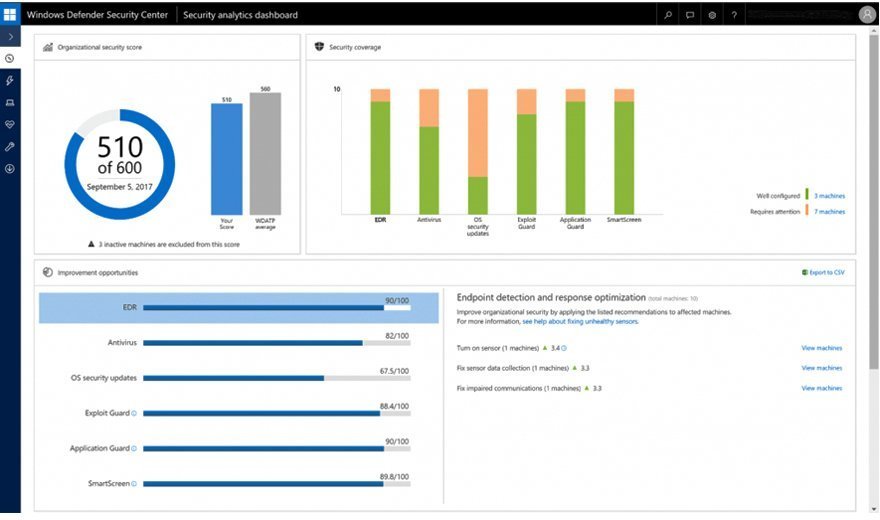
IT pros can never have too many Windows 10 security enhancements, and the Fall Creators Update certainly takes that to heart. First of all, Microsoft put the power of the now-retired Enhanced Mitigation Experience Toolkit, or EMET, back into Windows 10 with the Windows Defender Exploit Guard.
The Exploit Guard is part of Windows Defender Advanced Threat Protection and aims to make it more difficult for attackers to target vulnerabilities in the OS. IT can set intrusion rules and policies to prevent zero-day attacks and block dangerous websites or harmful Office macros.
The Windows Defender Security Center also brings some Windows 10 security enhancements. IT pros can use it to manage their Windows system and app exploit and mitigation settings, similar to how they could with EMET. The Windows Defender Security Center also addresses ransomware by allowing IT to control which apps can access or alter Desktop, Documents, Music, Pictures and Videos files on a user's desktop. If an unauthorized app attempts to access one of these files, Windows 10 alerts IT.
Finally, the Fall Creators Update adds another level of security for devices running Windows 10 Enterprise and Hyper-V. If a user accesses an untrusted site in Microsoft Edge, the Windows Defender Application Guard for Edge automatically launches the site in a separate instance of Windows to isolate any potential malware from the user's memory, storage, apps, credentials and more.
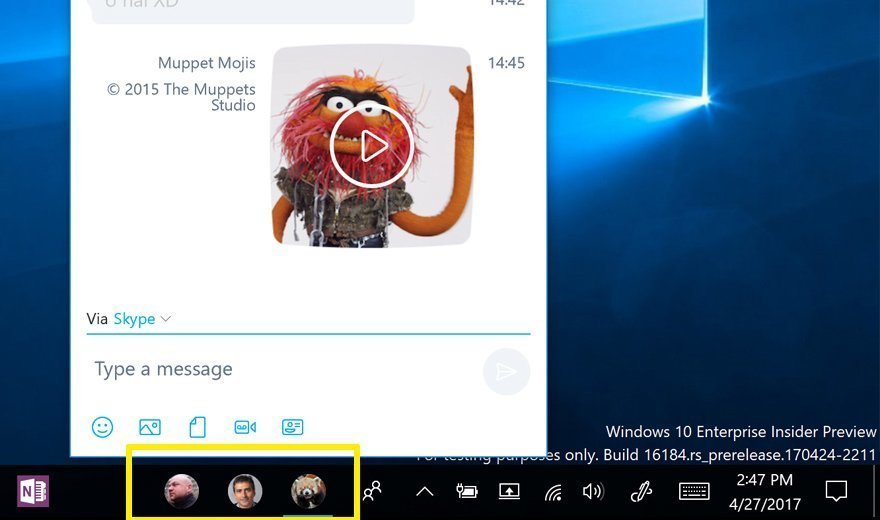
The Windows 10 Fall Creators Update attempts to make it easier for users to communicate with each other using the My People app. They can pin three contacts of their choosing to the task bar. The users they pin must either have Windows 10 Mail, People or Skype, and the My People app only lists users who have at least one of these apps.
Once a user pins his contacts to the task bar, he can click the icon representing a specific contact to open an email, video chat or instant message with that person. The user can make the icon for each contact a picture of that individual.
Activating the My People app is simple. Users just open the People app and click the My People icon on the task bar.
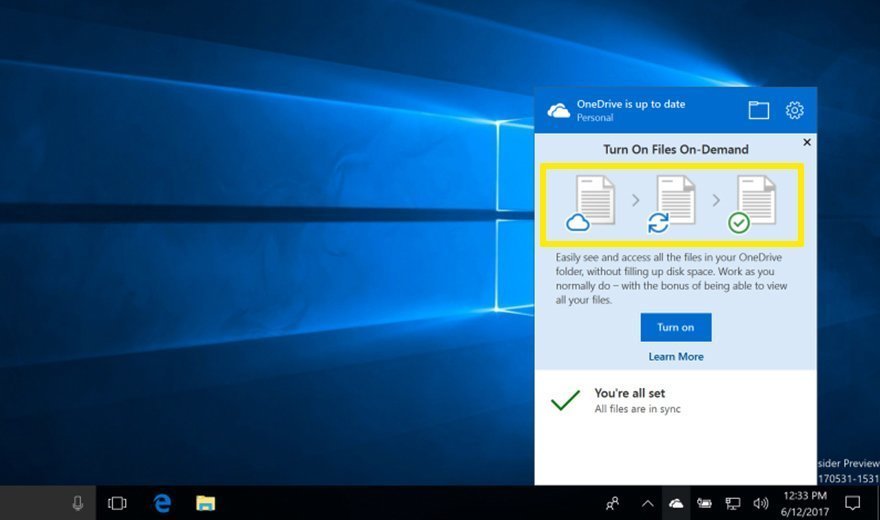
MicrosoftOneDrive is simultaneously a useful cloud storage and collaboration tool and a frustrating one. It is useful because if a user saves a file to OneDrive while logged into Windows 10 on one device, that file is automatically downloaded when he logs into Windows 10 on another device.
The problem comes when the second device is low on space and automatic OneDrive downloads overload it. The Windows 10 Fall Creators Update makes that issue a thing of the past with OneDrive Files On-Demand, which allows the user or IT to prevent OneDrive from automatically downloading files from the Microsoft cloud to the user's device.
The Fall Creators Update also changes the way online-only files work with OneDrive. Instead of having to launch a browser to access online-only files, users can now click a shortcut within OneDrive to access them. Users can download the online-only files to their devices by double-clicking on the shortcuts. They can make the files remain on the devices permanently by selecting Always Keep on this Device. If users want to make the files online-only again, they can do so by right-clicking the files and selecting Free Up Space.
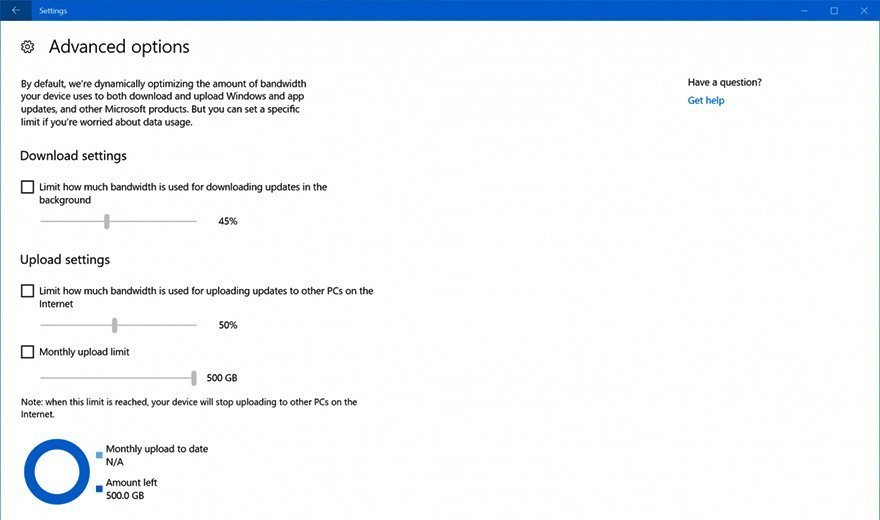
Windows Update can consume a lot of resources when it automatically updates the OS or shares update files across the network. Both actions can slow down users' computers. In the Windows 10 Fall Creators Update, network admins can set limits on the amount of bandwidth Windows Update can use to do its job.
There are three sliders in the Advanced Options menu within Delivery Optimization in the Settings app admins can use to adjust the amount of Windows Update bandwidth. The first slider deals with downloads, the second slider deals with uploads, and the third slider covers the total amount of data Windows Update can use in a month for both downloads and uploads. The first two are on a scale from 5% to 100%. The third scale can range from 5 GB to 500 GB.
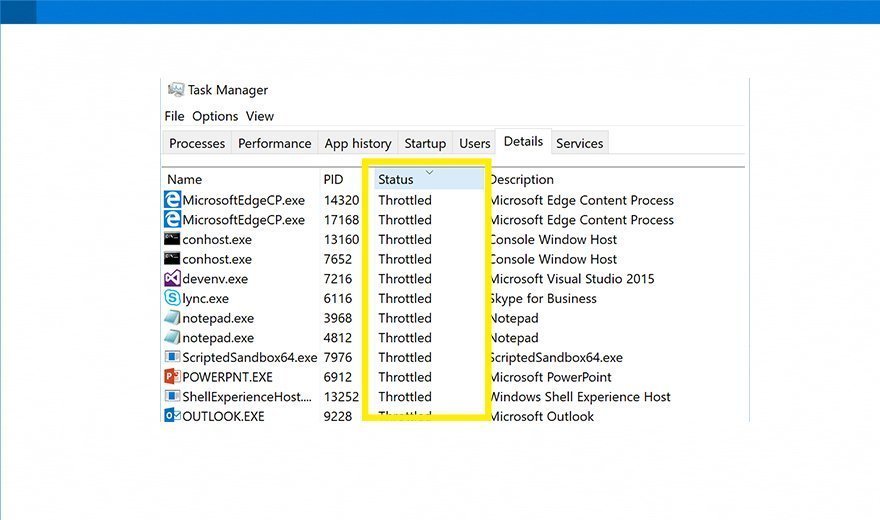
Windows 10 background apps can slow down the OS when they consume too many resources. They can also significantly drain battery life. The Fall Creators Update addresses background apps by monitoring the apps running in the foreground, or the apps the user is actively working with, and prioritizing them.
The OS places any apps it recognizes as running in the background in energy-efficient mode -- using less CPU than they normally would for full operations -- to limit their effect on everything else. This app power throttling currently only works with devices that have Intel Speed Shift technology in its sixth-generation Core processors and later, however.
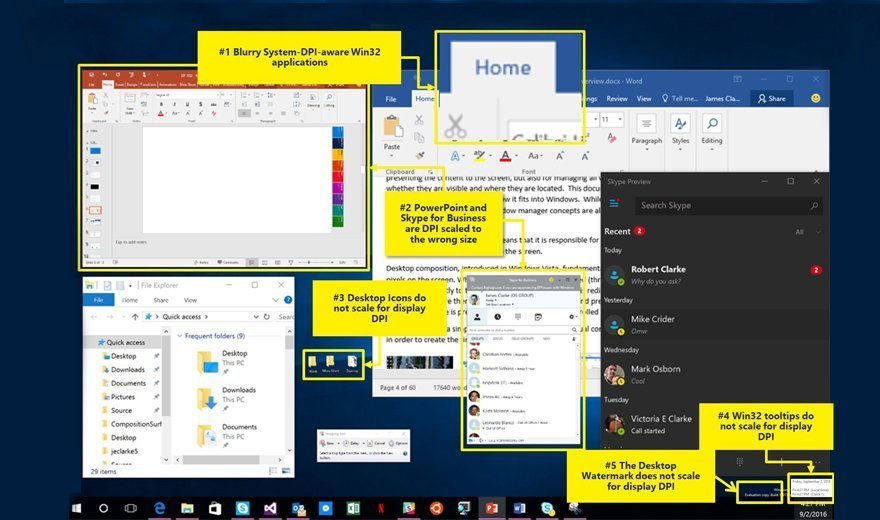
Users often run into blurry apps when they dock or undock their laptops, transfer an app to a larger screen, move an app to a screen with a different resolution or jump from one device type to another. Before the Windows 10 Fall Creators Update, the only options users had to fix blurry apps were to restart their devices or manually adjust the compatibility settings. The Fall Creators Update simplifies things by allowing users to shut down only the affected app. Relaunching the app should resolve the problem. The only time an app relaunch does not work is if the app is blurry because of an issue with an extended display.